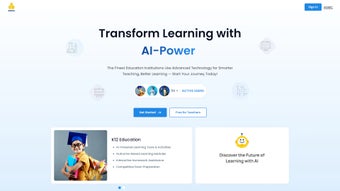

Download Buddiz – AI‑Powered Education Platform, Free & Secure
Introduction to Buddiz
Buddiz is an AI‑driven education platform that reimagines how teachers teach and students learn in the digital age. By blending adaptive learning paths, real‑time feedback, and a gamified reward system, Buddiz creates an environment where each learner receives personalized support while educators enjoy powerful automation tools. The platform goes beyond core academics, integrating mental‑health monitoring through sentiment analysis, proactive well‑being recommendations, and a secure cloud architecture that meets FERPA and GDPR standards.
Teachers benefit from automated grading, lesson‑plan generation, and instant analytics that highlight attendance trends and performance gaps. Students stay engaged thanks to interactive challenges, badge‑earning mechanics, and instant corrective feedback that adapts to their learning speed. Whether you are managing a K‑12 classroom, a university lecture hall, or a corporate training program, Buddiz delivers a seamless blend of AI intelligence and human‑centered design, making learning both effective and enjoyable.
Its cross‑platform compatibility ensures that lessons, data, and progress follow users across Windows, macOS, Android, and iOS devices, while continuous AI model updates guarantee that the system remains current, secure, and responsive to emerging educational needs.
Key Features, Benefits, and Expert Review
Feature List
- AI‑generated personalized learning pathways for each student.
- Interactive challenges and gamified rewards to boost engagement.
- Automated grading and instant feedback on assignments and quizzes.
- Real‑time classroom analytics for teachers, including attendance and performance trends.
- Mental‑health monitoring with sentiment analysis and proactive recommendation system.
- Customizable lesson‑plan templates that adapt to curriculum standards.
- Cross‑platform sync – works on Windows, macOS, Android, and iOS devices.
- Secure cloud storage with end‑to‑end encryption for student data.
- Integration with popular LMS tools such as Google Classroom, Canvas, and Moodle.
- Continuous AI model updates that improve recommendations based on usage patterns.
Pros
- Personalization at scale: The AI engine tailors content to each learner’s pace and style.
- Time‑saving automation: Teachers spend less time grading and more time interacting.
- Student motivation: Gamified challenges keep learners actively involved.
- Mental‑health focus: Early detection of stress signals helps intervene before problems grow.
- Seamless integration: Works with existing LMS ecosystems, reducing adoption friction.
Cons
- Initial setup requires a brief learning curve for educators unfamiliar with AI tools.
- Full feature set is best experienced with a stable internet connection.
- While the core app is free, premium analytics modules carry an additional cost.
- Some schools may need to align data‑privacy policies with local regulations.
- Advanced AI recommendations may need occasional human oversight to avoid bias.
Buddiz transformed my classroom. The AI personalization saves me hours of planning, and students love the challenge system. The mental‑health insights add a caring dimension that few ed‑tech tools provide.
Installation, First‑Time Use, and Compatibility
Step‑by‑Step Installation
Getting started with Buddiz is straightforward. Follow these steps to install the application on your preferred device:
- Visit the official Buddiz website and click the Download button that matches your operating system.
- For Windows, run the
.exeinstaller and follow the on‑screen prompts. macOS users download the.dmgfile and drag the app to the Applications folder. - Mobile users locate Buddiz in the Apple App Store or Google Play Store; simply tap Install.
- After installation, launch Buddiz and create an account using your school email or a personal address.
- Verify your email, then sign in to access the dashboard.
First‑Time Usage
Upon logging in, new users are guided through an onboarding wizard that helps configure class settings, import student rosters, and select curriculum standards. Teachers can instantly create a “Starter Course” using pre‑built templates, while students receive an introductory tour highlighting navigation, challenge participation, and reward collection. From the first session, the AI engine begins analyzing interactions, gradually refining personalized recommendations and mental‑health alerts.
System Requirements
Buddiz is built for modern environments. Minimum specifications include:
- Windows 10 (64‑bit) or later, macOS 11 (Big Sur) or later.
- Android 8.0 (Oreo) or iOS 13 and above for mobile devices.
- At least 2 GB RAM and 500 MB of free disk space.
- Stable broadband connection (minimum 5 Mbps) for real‑time analytics.
- Web browsers: Chrome, Firefox, Edge, or Safari (latest versions).
Keeping Buddiz Updated
The platform auto‑updates in the background, ensuring you always have the latest AI models and security patches. Desktop installations display a notification when a major version is available; clicking “Update” downloads and installs the new build without data loss. Mobile users receive push notifications through the app stores, and the update process mirrors any other app on the device, making maintenance effortless.
Frequently Asked Questions & Final Thoughts
Is Buddiz really free for teachers?
Yes, the core application is free for educators and students. Advanced analytics and premium support packages are optional and priced separately.
How does Buddiz protect student data?
All data is encrypted in transit with TLS 1.3 and at rest using AES‑256. Buddiz complies with FERPA, GDPR, and other regional privacy standards.
Can Buddiz integrate with my existing LMS?
Absolutely. Buddiz offers native connectors for Google Classroom, Canvas, Moodle, and can sync via LTI standards with most modern LMS platforms.
What kind of mental‑health support does Buddiz provide?
The platform analyses sentiment in student submissions and interaction patterns. When stress or disengagement is detected, Buddiz suggests coping resources, notifies teachers, and can schedule check‑ins with school counselors.
Is there a trial period for the premium features?
Yes, schools can activate a 30‑day free trial of the premium analytics suite to evaluate its impact before committing to a subscription.
Conclusion & Call to Action
In a landscape where digital transformation is no longer optional, Buddiz stands out as a secure, AI‑enhanced solution that truly puts the learner at the centre of the experience. Its blend of personalized pathways, automated grading, and mental‑health awareness creates a holistic environment that benefits both teachers and students. While a modest learning curve exists, the long‑term gains in engagement and reduced administrative load are compelling. If you’re ready to modernise your classroom, reduce burnout, and inspire students with interactive, data‑driven learning, it’s time to download Buddiz today. Click the button below, create your free account, and watch your educational ecosystem evolve.



.png)



